What Is OCR?
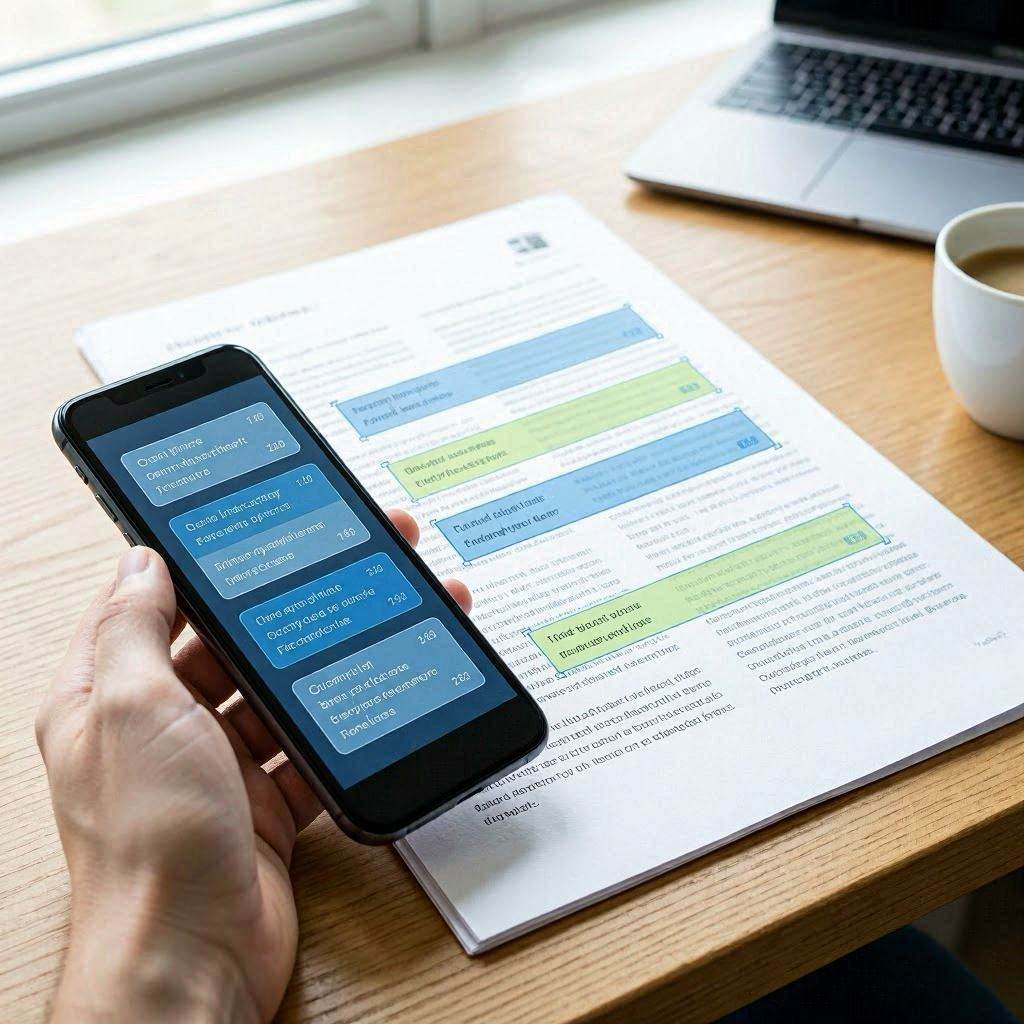
Optical Character Recognition (OCR) is technology that converts images containing text — photographs, scanned documents, screenshots — into machine-readable digital text. OCR software analyzes the shapes of characters in an image, identifies them using pattern recognition and machine learning, and outputs the recognized text as editable, searchable digital content. OCR technology dates to the 1950s and was originally used for reading printed text on paper. Today, OCR is embedded in smartphones (Google Lens, Apple Live Text), document management systems, banking applications, and countless other tools.
How OCR Works
Modern OCR processing typically involves several stages. Image preprocessing improves recognition accuracy by adjusting contrast, removing noise, correcting skew (if the page is slightly tilted), and converting to grayscale. Text detection identifies regions of the image that contain text as opposed to graphics or whitespace. Character segmentation separates individual characters from each other within the text regions. Character recognition compares each segmented character against trained models to identify the most likely character. Post-processing applies language models and dictionaries to correct recognition errors and improve accuracy based on context.
What OCR Works Best For
OCR performance varies significantly based on the type of image. Printed text on a clean white background in a standard font achieves near-perfect recognition accuracy with modern OCR engines. Business cards, typed documents, book pages, and printed receipts all fall into this high-accuracy category. Handwritten text is significantly more challenging — recognition accuracy depends heavily on handwriting clarity and the specific OCR model's training data. Stylized fonts, decorative text, and text embedded in complex graphics are more difficult to recognize accurately. Images of low resolution, poor contrast, or significant distortion produce lower accuracy results.
Privacy and Client-Side OCR
Many online OCR tools upload your images to their servers for processing. This raises significant privacy concerns for documents containing personal, financial, or confidential information. Our OCR tool uses Tesseract.js — a JavaScript port of the industry-standard Tesseract OCR engine — to process images entirely within your browser. Your image data never leaves your device. This browser-based approach is slightly slower than server-based processing but eliminates all privacy risks associated with uploading sensitive documents to third-party servers.
Use Cases for OCR
Digitizing printed documents — converting paper contracts, receipts, or books into editable text for storage, searching, or editing. Extracting data from scanned forms — pulling information from medical forms, tax documents, or survey responses into structured data. Making images searchable — converting screenshots and image-based PDFs into text that can be searched, indexed, and copied. Accessibility — converting printed text into formats compatible with screen readers for visually impaired users. Language learning — photographing text in a foreign language and extracting it for translation.
How to Use Our Free Image to Text Tool
Our free image to text converter at cookiescursor.com uses Tesseract.js to extract text from any image in your browser. Upload your image (PNG, JPG, GIF, WebP, or BMP), select the language of the text, and click Recognize. A progress bar shows the processing status — OCR typically takes 5 to 15 seconds depending on image size and complexity. The extracted text appears in the output area and can be copied with one click. Your image is never uploaded to our servers. No signup required.
Frequently Asked Questions
How accurate is browser-based OCR?
For clear, high-contrast printed text, accuracy is typically 95% to 99%. For lower quality images or unusual fonts, accuracy drops. Review and edit the output for critical documents.
Can OCR read handwriting?
Our tool uses Tesseract, which is optimized for printed text. Handwriting recognition accuracy is limited and varies significantly based on handwriting clarity.
What image resolution works best?
At least 300 DPI for scanned documents, or a photograph where the text is clearly legible without zooming. Low-resolution images significantly reduce accuracy.
Can I extract text from a PDF?
Our image OCR tool works with image files. For text-based PDFs (not scanned), you can copy text directly from the PDF. For scanned PDFs, take a screenshot of each page and process through our OCR tool.
Does OCR work on photos taken with a smartphone?
Yes, provided the text is in focus, well-lit, and not significantly distorted by perspective. Photographing documents flat on a surface produces better results than angled shots.
What languages does the OCR support?
Our tool supports English, French, German, Spanish, Portuguese, and Italian. Tesseract supports over 100 languages — the six offered cover the most common use cases for our target audience.
Extract Text from Images Now
Use our free image to text converter for instant OCR in your browser. No signup required.